DSP links: One release, every streaming platform
Learn why per-release DSP links fix the broken link-in-bio for artists with catalogues across multiple platforms and release windows.

Key Takeaways
DSP links attached per release let each project point to the platforms it actually lives on.
One blanket streaming link breaks down the moment your catalogue spans different distributors or release windows.
Visitors see the services that matter for the specific release they're viewing, not a generic artist-level guess.
This is a paid-plan feature that respects how real catalogues are distributed: inconsistently, across years and platforms.
Most link-in-bio pages send everyone to one streaming platform, then wonder why conversion falls apart the moment someone wants Apple Music instead of Spotify. If your catalogue spans multiple distributors or release windows, a single generic link breaks down fast. Release-level DSP links in Music Artist Manager solve that by letting each release carry its own set of streaming destinations, so visitors land exactly where that specific track or album actually lives.
Your artist page has a Spotify link at the top. It points to your latest release. A visitor wants to hear the single you put out four years ago, the one that's only on Bandcamp and SoundCloud because you hadn't signed distribution yet. They click your link. They land on a Spotify profile that doesn't list it. They leave.
This is the structural problem with treating streaming links as a single, artist-level asset. Your catalogue doesn't work that way. Different releases live in different places, distributed through different services at different points in your career. A blanket "stream my music" button makes a promise your back catalogue can't keep.
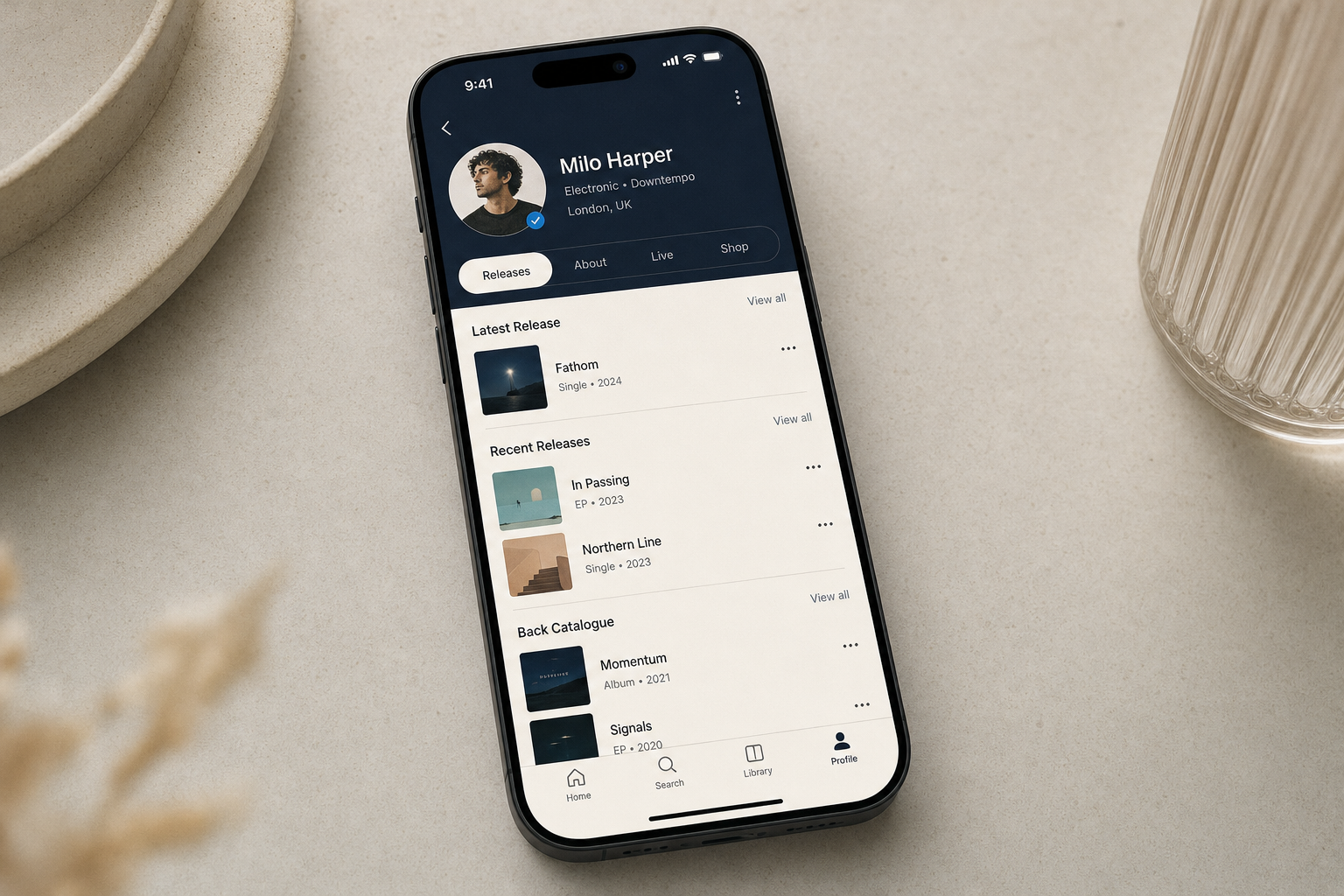
Music Artist Manager solves this at the correct level: the release itself. Each release on your public artist page can carry its own set of DSP links. The visitor looking at your 2019 EP sees the two platforms it's actually on. The visitor looking at last month's single sees all eight.
Why release-level linking is the right unit
An artist page is a catalogue view, not a singles campaign. If you've been releasing for more than a year, your distribution footprint has changed. Early releases might sit on Bandcamp or a regional service. Recent ones might be everywhere: Spotify, Apple Music, Tidal, YouTube Music, Deezer, Amazon. A single set of links at the page level forces you to choose between accuracy and convenience. You can link to Spotify and hope no one wants Apple, or you can skip the links entirely and make every visitor go search.
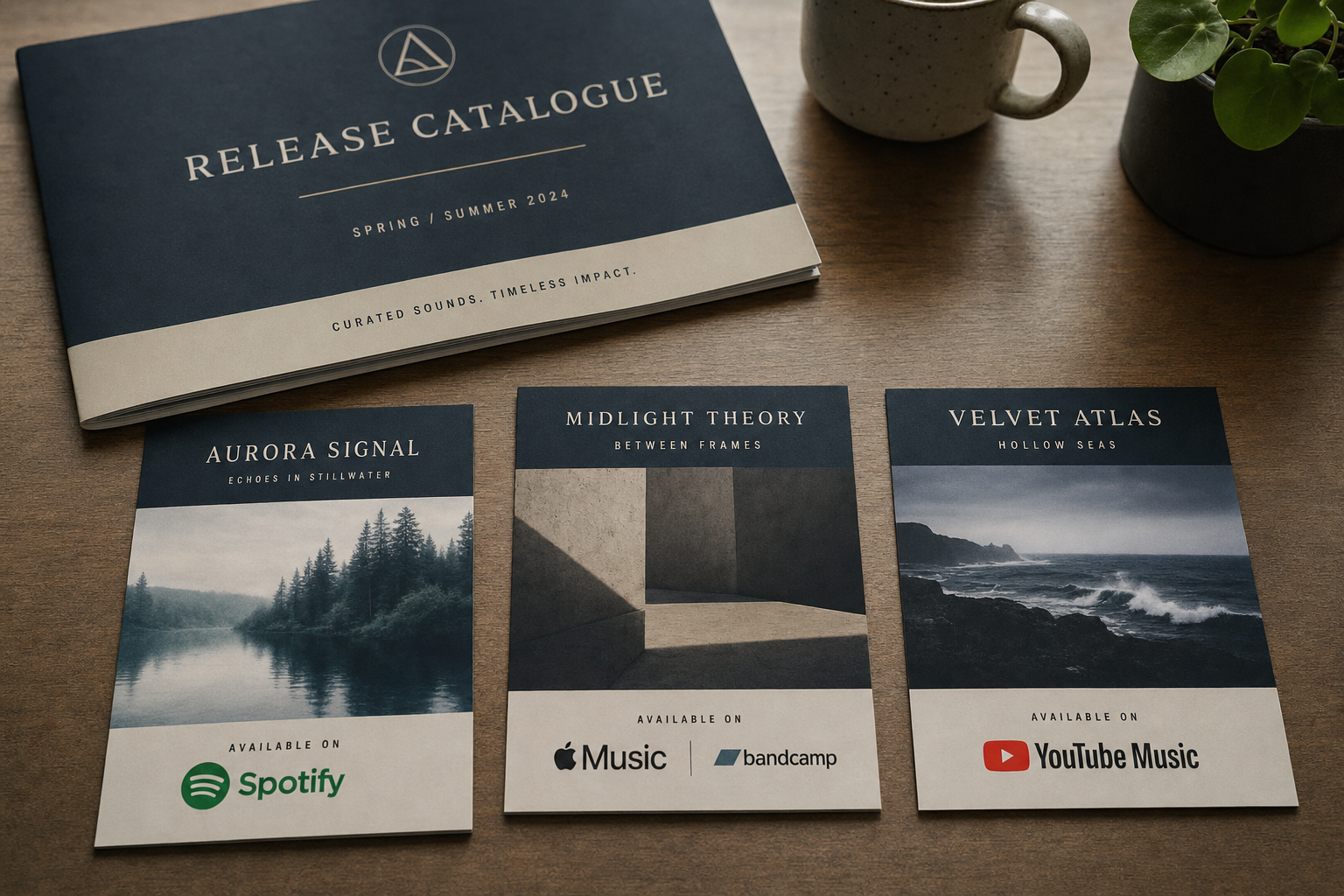
Release-level DSP links let you map the actual state of your catalogue. The 2020 single that's Spotify-only gets one link. The 2024 album distributed through a full-service aggregator gets six. The visitor sees what's real, not what you wished was uniform.
This matters most when you're being discovered backward. A playlist pick or a sync placement sends someone to one track. They like it. They want more. They scroll your catalogue. If the links for older releases are wrong or missing, the discovery stops. Release-level DSP links keep the path open, release by release, as far back as your catalogue goes.
Where it lives and who controls it
DSP links sit inside the Releases section of your public artist page, the page that lives at `/p/[yourUserId]`. Each release has its own listing. You add the DSP links for that release in the same place you manage the release's other metadata: title, artwork, release date, credits.
This is not a link-in-bio tool that discovers your streaming URLs for you. You add the links. You decide which services to list for which release. If a release isn't on a platform, you don't add that platform's link. The feature gives you the structure to attach the right destinations to the right release. It doesn't guess.
What it replaces
Most artist pages use one of two patterns. The first is a single streaming link, usually Spotify, placed somewhere near the top. It points to the artist profile or the most recent release. Older releases are assumed to be in the same place, which is often wrong. The second pattern is no links at all, on the assumption that a visitor who wants to stream will search. That assumption loses more people than it should.
A third pattern, common among DIY artists, is a link-in-bio page with one set of streaming buttons. It's better than nothing, but it still treats the catalogue as a single object. If your 2018 single isn't on the same platforms as your 2024 album, the visitor has to figure that out themselves.
Release-level DSP links replace all three. Each release gets its own set of buttons. The visitor sees exactly where that release is available. No guessing, no dead links, no hoping the visitor knows how to search your artist name plus the release title on a platform you didn't link to.
The catalogue argument
If you have one release, a single set of DSP links works fine. If you have ten, spread across five years and three distributors, it doesn't. Here's what breaks:
- Your first two releases were Bandcamp-only. Your last eight are on all major platforms. A single Spotify link leaves your first two releases invisible to anyone who clicks it.
- You pulled a release from streaming in 2022 but it's still on Bandcamp. Your artist-level links point to Spotify. A visitor looking for that release hits a 404.
- You have a region-specific release that's only on YouTube Music and a local service. Your blanket Apple Music link doesn't help.
Release-level DSP links solve this by making the link set a property of the release, not the artist. You're not trying to represent your entire catalogue with one set of buttons. You're attaching the correct destinations to each individual release.
This is especially useful if your catalogue includes pre-distribution work. Many artists have early releases that never made it to Spotify or Apple Music. Those releases still matter. A visitor who finds you through a recent track and wants to go deep shouldn't hit a wall because your 2017 demos are only on SoundCloud. Release-level DSP links let you map the whole catalogue, not just the part that fits a tidy streaming profile.
Practical mechanics
You add DSP links when you create or edit a release in Music Artist Manager. The release form includes fields for each major platform: Spotify, Apple Music, Tidal, YouTube Music, Deezer, Amazon Music, Bandcamp, SoundCloud. You paste the URL for that release on that platform. The link appears on the public artist page, next to that release.
If a release isn't on a platform, you leave that field blank. The button doesn't appear. This keeps the visitor from clicking through to a profile page that doesn't list the release they were looking for.
If you add a release to a new platform later, you come back and add the link. The public page updates. No need to rebuild the whole artist page or redirect a blanket link somewhere else.
Who this is for
This feature is for any artist whose catalogue isn't uniform across platforms. That includes:
- Artists who started on Bandcamp or SoundCloud before moving to full distribution.
- Artists who've changed distributors and have different releases on different services.
- Artists with region-specific releases that only appear on certain platforms.
- Artists who've pulled releases from streaming but still want them available elsewhere.
- Artists with catalogue spanning multiple eras, where early work was self-released and recent work is distributed widely.
It's also for managers running artist pages on behalf of a roster, where each artist's distribution footprint is different and a single link strategy doesn't scale.
What it isn't
This is not a smart-link tool. Music Artist Manager does not generate or discover your streaming URLs. You provide them. The feature gives you the structure to attach the right links to the right releases. It does not scrape platforms or guess where your music lives.
It is also not included on the free tier. DSP links per release are a paid-plan feature. The free tier supports a public artist page, but release-level DSP linking requires a subscription.
Why this matters now
Streaming is not monolithic. A visitor might prefer Apple Music over Spotify, or Tidal over both. Regional services matter in markets where the big platforms don't dominate. Bandcamp still matters for artists with a direct-support model. YouTube Music captures listeners who discover through video.
A single DSP link is a bet that every visitor uses the same platform you do. It's a bet that loses more often the longer your catalogue gets and the more varied your distribution history becomes.
Release-level DSP links turn your artist page into an accurate map of where each release actually lives. That's not a convenience feature. It's a structural fix for a problem that shows up the moment your catalogue stops fitting inside one platform's artist profile.
You can set this up inside Music Artist Manager today. Add your releases, attach the DSP links for each one, and your public artist page will show the right streaming buttons for each release. No guessing, no dead ends, no assuming the visitor knows how to search.
Ready to plan your next release?
Stop piecing together spreadsheets and scattered notes. Get your free release strategy and keep your whole rollout in one place.
Written By
Gavin Alexander
Senior Marketeer
As the founder of Music Artist Manager, Gavin has spent years at the intersection of music and technology. Seeing firsthand how chaotic release rollouts and split sheets can be, he designed a platform that brings major-label infrastructure to independent artists and their teams. He writes extensively about industry trends, artist leverage, and workflow optimisation.