Understanding split sheets in Music Artist Manager
How to record per-track splits properly, enforce a status workflow, and get each collaborator to confirm their own percentage.

Key Takeaways
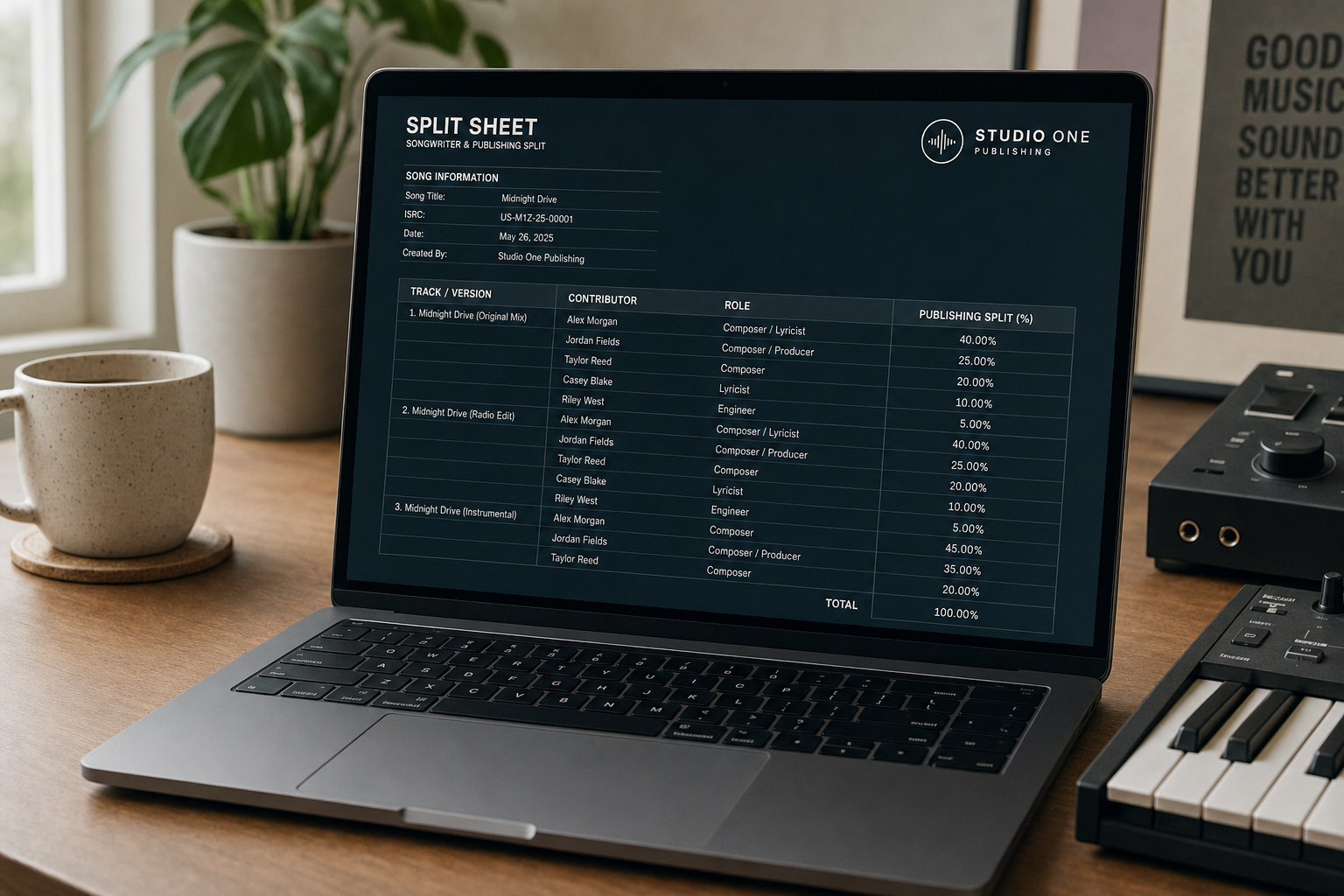
Split sheets record who owns what percentage of a song before it reaches any collection society.
Music Artist Manager generates one sheet per track, so a feature on track three only affects track three.
Each sheet moves through Draft, Sent, Pending, Agreed, Archived, and Agreed sheets cannot be deleted.
Collaborators confirm their own percentage rather than the primary artist asserting everyone's share on their behalf.
Most artists record a percentage on a PDF, fill it in once, and never look at it again until a royalty statement lands with the wrong name attached. Music Artist Manager's split sheet tool, at /planner/splits, is built differently: one sheet per track, not one blanket percentage for a whole release, with per-track allocation and collaborator confirmation built in. Here's what that actually means in practice.
A split sheet is not paperwork. It is the document that determines who gets paid what percentage of a song's publishing royalties for the life of that song. Writers, producers and featured artists each hold a share. The sheet is what the royalty society reads when it distributes income. If the sheet is wrong, money goes to the wrong person. If the sheet doesn't exist, the society holds the payment until someone sorts it out, which can take months.
Most independent artists and managers still use a generic PDF template: one blanket percentage applied to every track on a release, filled in once, usually without actual confirmation from the people named on it. This works fine until it doesn't. The collaborator who only appears on track three suddenly owns a share of track one, track five and track seven. The producer who worked on the entire album but isn't named on the template doesn't appear anywhere. When the first PRS or ASCAP statement arrives, the split is already registered. Fixing it means filing an amendment, which requires everyone to agree again, in writing, to the new percentages.
The problem is structural, not laziness
The PDF split sheet treats a release like a single asset. If you're releasing six tracks and one of them has a featured artist, your options are:
1. Give that artist a percentage of all six tracks, even though they only performed on one.
2. Create six separate PDFs manually, one per track, and manage six separate documents with their own version histories.
3. Use one sheet, state the featured artist only contributed to track three in a notes field, and hope whoever reads it at the collection society interprets the notes correctly.
None of these options are good. The first one is legally and financially wrong. The second one is administratively unsustainable. The third one is wishful thinking dressed up as documentation.
The other structural issue is confirmation. A PDF doesn't know whether the person named on it has actually seen it, agreed to it, or even received it. You can send it via email and hope they reply "looks good". You can collect a signature via DocuSign. But the document itself is static. It records what someone said the split was at the time the PDF was saved. If a collaborator disputes it later, there is no audit trail showing when it was sent, opened, or confirmed.
Per-track allocation is the only sane default
Music Artist Manager's split sheet tool at /planner/splits generates a separate sheet per track, pulled directly from your project's own track list. If you have eight tracks in a release, you create eight sheets. If track three has a featured artist, that artist only appears on track three's sheet. If track six has a different producer, that producer's percentage only affects track six. Nobody has to manually recalculate a whole-project split because one person appears on one song.
This is not a feature. It is the correct structure. A song is the unit of copyright. A song is the unit on which royalties are calculated. The split sheet should match that unit.
Status workflow: From draft to legally binding
Each sheet in the tool moves through five statuses: Draft, Sent, Pending, Agreed, Archived. This isn't cosmetic. The status determines what you can do with the sheet.
Draft: The sheet exists but hasn't been shared. You can edit percentages, add or remove collaborators, and delete the entire sheet if you decide you don't need it.
Sent: You've shared the sheet with the people named on it. They can view it, but they haven't confirmed their share yet. You can still edit it at this stage, but every change generates a new version in the audit trail.
Pending: At least one collaborator has opened the sheet, but not everyone has confirmed. This is the stage where most PDF-based workflows fall apart, because there's no mechanism to track who has and hasn't responded.
Agreed: Every named collaborator has confirmed their percentage. At this point, the sheet becomes a legal record. You cannot delete it. You can only archive it, which removes it from your active sheet list but preserves it in the audit trail.
Archived: The sheet is no longer active, but it still exists in your project's history. This status is for sheets that were replaced by a corrected version, or for projects that have been closed out.
The enforcement matters because the sheet is not just a file. Once it reaches Agreed, it is evidence of a negotiated agreement between multiple parties. Allowing a hard delete at that stage would remove the record of the agreement itself, which creates the exact problem the sheet is supposed to solve: no proof of who agreed to what.
Collaborator-driven confirmation, not artist assertion
The confirmation mechanic is designed so that each collaborator confirms their own percentage rather than the primary artist asserting everyone's share on their behalf. This is a small functional difference with large legal implications.
When you create a sheet and assign 20% to a producer, that 20% sits in a Pending state until the producer themselves opens the sheet and confirms it. If they disagree, they can dispute it before the sheet reaches Agreed status, which surfaces the conflict before the song is released rather than six months later when the first royalty payment arrives.
This is different from a PDF where you type someone's name next to a percentage, send it to them, and assume silence means agreement. Silence is not agreement. It is just silence.
One honest limitation worth stating: sharing an individual split sheet via its own link currently resolves against the viewer's signed-in session state. It works reliably if the collaborator is already signed into the same account context, but it is not yet a "send this link to anyone, they open it and confirm" mechanism for an outside collaborator with no existing account relationship to the project.
Until that's addressed, the most reliable way to get a collaborator's confirmation is to add them to the project directly rather than relying purely on a standalone share link. This matters for anyone working with session musicians, guest vocalists, or producers who are not core members of the project team. It's a known constraint, not a hidden flaw.
Audit trail and PDF export on paid tiers
Paid accounts include two additional mechanics: split PDF export and a full audit trail showing who changed what percentage, and when.
The PDF export is not a replacement for the in-app sheet. It is a downstream document you generate after the sheet reaches Agreed status, so you have a static file to send to your collection society, your lawyer, or your distributor. The source of truth remains the in-app sheet. The PDF is the output.
The audit trail logs every edit: who changed which collaborator's percentage, when the sheet was sent, when each person confirmed, and when the sheet reached Agreed. This is the evidence you need if a split is ever disputed. Without it, you have two people's conflicting memories of a conversation. With it, you have timestamped confirmation of what each person agreed to and when.
Free accounts get one split sheet. Paid tiers get more, and an attempt to exceed the limit surfaces an upgrade prompt rather than silently failing or degrading the feature. This is not a soft paywall. The free tier is a real version of the tool, limited by volume, not by functionality.
What to do before your next release
If you are preparing a release with any collaborator who is not you, create the split sheet before the track goes to distribution. Not after the first royalty payment. Not when someone asks for it. Before.
Go to /planner/splits. Run the three-step wizard: Details, Track Allocations, Review. Assign the correct percentage to each collaborator per track, not per project. Send the sheet to everyone named on it and get their confirmation before the song is live. If someone disputes their share, resolve it now, while the song is still in your DAW and nothing is registered with a collection society yet.
If you are managing a roster, enforce this as a release checklist requirement: no approved split sheet, no distribution upload. It is not bureaucracy. It is the difference between clean royalty statements and a six-month dispute with someone who thought they owned 25% but only got credited for 10%.
Split sheets are not exciting. They do not feel urgent. But they are the document that determines who gets paid for a song's entire commercial life. Getting them right before the song is released is not over-engineering. It is the baseline.
Ready to plan your next release?
Stop piecing together spreadsheets and scattered notes. Get your free release strategy and keep your whole rollout in one place.
Written By
Gavin Alexander
Senior Marketeer
As the founder of Music Artist Manager, Gavin has spent years at the intersection of music and technology. Seeing firsthand how chaotic release rollouts and split sheets can be, he designed a platform that brings major-label infrastructure to independent artists and their teams. He writes extensively about industry trends, artist leverage, and workflow optimisation.