Setting up pre-save campaigns and the universal campaign engine
A pre-save is one of the highest-leverage actions an independent artist can take before a release. It converts interested listeners into committed ones — people who have told a platform's algorithm that they want to hear your music before it exists.


Key Takeaways
Set up a pre-save campaign via the Universal Campaign Engine in the MAM dashboard to capture early listener commitment and secure crucial algorithmic playlist boosts on release day.
Launch your campaign exactly two to three weeks prior to your release date to maintain audience momentum and prevent interest from tapering off.
Update all social media bio links with your new landing page immediately after publishing, and use the MAM analytics tool to monitor conversion rates and traffic sources.
Segment your email list within the 'Audience' tab once the campaign is live to deliver tailored promotional updates to fans who have already pre-saved the track.
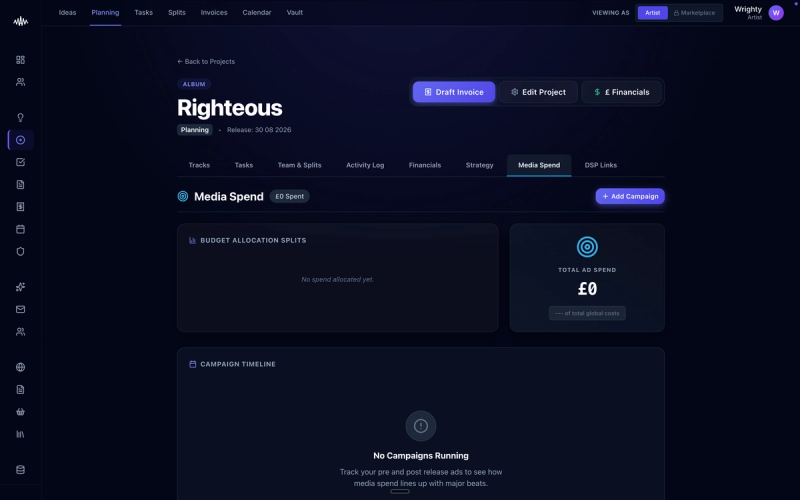
A pre-save is one of the highest-leverage actions an independent artist can take before a release, converting interested listeners into committed supporters who signal their intent to streaming algorithms early. Without a structured campaign, artists often struggle to build momentum, relying on passive organic reach on release day rather than securing guaranteed early streams. Implementing a pre-save campaign via the Universal Campaign Engine ensures your audience is primed and ready to engage the moment your track drops.
Why this matters
Failing to capture pre-release interest often leads to a quiet release day, as streaming algorithms rely heavily on day-one performance to determine playlist placement. Without these pre-saves locked in, you miss out on critical algorithmic boosts like Release Radar and Discover Weekly, which can severely limit the long-term reach of your music.
How to do it
1. Navigate to the MAM dashboard and select the 'Campaigns' tab from the main navigation menu.
2. Click on 'Create Campaign' and select 'Universal Campaign Engine' from the options provided.
3. Input your release metadata, including the track title, release date, and UPC or ISRC codes provided by your distributor.
4. Paste your Spotify, Apple Music, and Deezer pre-save links into their respective platform fields within the integration panel.
5. Customise your campaign landing page by uploading your high-resolution cover art and writing a concise description.
6. Set your campaign start date and configure the automated email notification settings to alert your fans when the track goes live.
7. Click 'Review and Publish' to launch your pre-save campaign link, which you can now distribute across your marketing channels.
Tips
• Avoid launching your campaign too early; the optimal window for a pre-save campaign is two to three weeks before the official release date to maintain audience momentum.
• Ensure your social media bio links are updated immediately after publishing to route all incoming traffic directly to your new pre-save landing page.
• Use the MAM analytics panel regularly to monitor conversion rates and identify which external traffic sources are driving the most pre-saves.
Next steps
Once your pre-save campaign is live, navigate to the 'Audience' tab to segment your email list so you can send targeted updates to fans who have already committed to pre-saving your track.
Ready to streamline your workflow?
Stop piecing together spreadsheets and scattered notes. Join the waitlist for Music Artist Manager and get your entire rollout in one place.
Written By
Gavin Alexander
Senior Marketeer
As the founder of Music Artist Manager, Gavin has spent years at the intersection of music and technology. Seeing firsthand how chaotic release rollouts and split sheets can be, he designed a platform that brings major-label infrastructure to independent artists and their teams. He writes extensively about industry trends, artist leverage, and workflow optimisation.