How to package and position your project for release
The music is finished. What you do next determines how many people hear it, and who those people are.

Key Takeaways
Your release type, title, artwork, and messaging are not afterthoughts — they are part of the music
Position your release relative to a specific audience and a specific moment in your story
The Brand Architect and Content Strategist profiles help you build the context before the campaign
Every asset — artwork, bio, social copy, press pitch — should tell the same story from a different angle
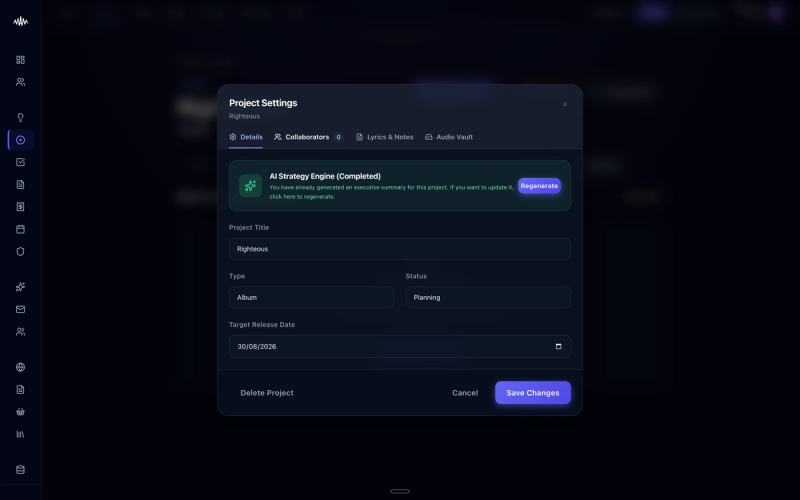
The music is finished. What you do next determines how many people hear it, and who those people are. Packaging and positioning your release within the Music Artist Manager (MAM) platform ensures your work reaches the right curators, algorithms, and fans rather than getting lost in the digital noise.
Why this matters
Without proper packaging and strategic positioning, even the best-produced tracks risk being miscategorised by streaming algorithms and ignored by playlist curators. Failing to define your target audience and metadata accurately inside MAM means your release may be delivered to the wrong listeners, wasting critical promotional momentum.
How to do it
1. Navigate to the 'Campaigns' tab on your MAM dashboard and select 'Create New Release'.
2. Enter your primary metadata in the 'Release Details' section, ensuring your spelling and track titles match your distributor's files exactly.
3. Open the 'Audience Profiler' tool to select up to three primary genres and five descriptive sub-genres that accurately define your sound.
4. Upload your high-resolution artwork and press kit assets in the 'Creative Assets' panel, ensuring they meet the platform's dimensions and file size requirements.
5. Write a concise, compelling bio in the 'Release Pitch' field, focusing on the story behind the project and any notable collaborator details.
6. Click 'Save & Submit' in the top-right corner to lock in your assets and queue your project for pitching to digital service providers.
Tips
• Avoid using overly broad genres in the Audience Profiler, as niche categorisation helps the algorithm find your core audience more effectively.
• Ensure your press photos are uploaded in both landscape and portrait orientations to accommodate different DSP layouts.
• Double-check that your release date in MAM matches your distributor's scheduled date to prevent desynchronised promotion.
Next steps
Once your release is packaged and positioned, navigate to the 'Pitching' section in your MAM sidebar to begin submitting your tracks to independent curators and tastemakers.
Ready to streamline your workflow?
Stop piecing together spreadsheets and scattered notes. Join the waitlist for Music Artist Manager and get your entire rollout in one place.
Written By
Gavin Alexander
Senior Marketeer
As the founder of Music Artist Manager, Gavin has spent years at the intersection of music and technology. Seeing firsthand how chaotic release rollouts and split sheets can be, he designed a platform that brings major-label infrastructure to independent artists and their teams. He writes extensively about industry trends, artist leverage, and workflow optimisation.