Understanding brand identity as an independent artist
Brand is not a logo. It is not a colour palette. It is not the font on your artwork. Brand is what people think of when they hear your name — and it is built, whether you intend it or not, with every piece of music you release and every way you present yourself.


Key Takeaways
Define your core narrative and target demographics within the MAM Brand Identity tab by completing the Artist Statement and utilising the Audience Persona tool.
Centralise your visual assets and social media channels by uploading official press photos to the Asset Library and linking platforms in the Social Integration panel.
Maintain consistent visual styles across consecutive releases to strengthen brand recognition, periodically reviewing your profile to ensure it aligns with your musical evolution.
Utilise the Release Planner tool to align your upcoming campaign visuals directly with your newly established brand guidelines.
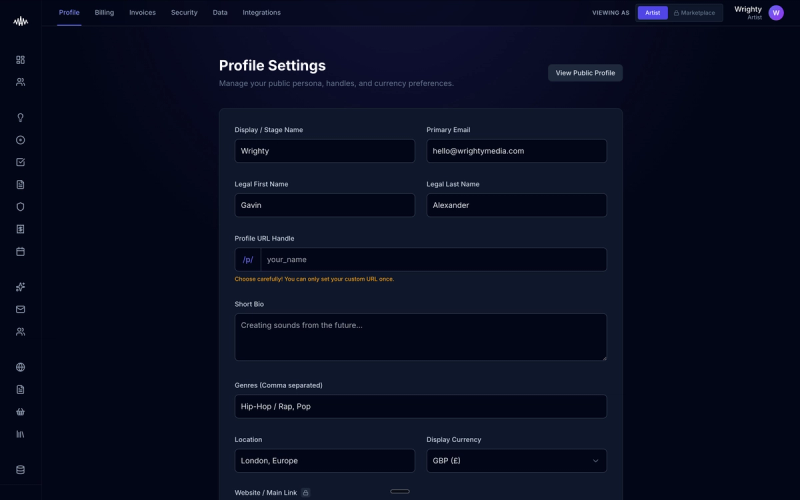
A brand is not merely a logo, a colour palette, or the font on your artwork. It represents the collective perception of who you are as an artist, built continuously through every release and public interaction. By actively defining your brand identity within Music Artist Manager (MAM), you take control of this narrative rather than leaving your professional reputation to chance.
Why this matters
Failing to establish a cohesive brand identity often leads to confusing listener experiences and diluted marketing campaigns. If your visuals, messaging, and music do not align, potential industry partners and fans will struggle to understand your artistic vision, ultimately limiting your streaming growth and booking opportunities.
How to do it
1. Log in to the MAM dashboard and navigate to the "Artist Profile" section.
2. Select the "Brand Identity" tab to access your core messaging and visual assets.
3. Fill out the "Artist Statement" field, defining your core values and the overarching narrative of your music in two to three concise sentences.
4. Use the "Audience Persona" tool to log your primary listener demographics and cultural touchpoints, ensuring your communication remains targeted.
5. Upload your official press photos and logo variations to the "Asset Library" sub-section to keep your visual identity centralised.
6. Link your social channels under the "Social Integration" panel to ensure consistency across all outward-facing platforms.
7. Save your changes to update your unified digital press kit automatically.
Tips
• Avoid switching visual styles drastically between single releases, as this weakens brand recognition among new listeners.
• Periodically review your Brand Identity tab to ensure your stated mission still aligns with your latest musical direction.
Next steps
Once your brand identity is locked in, head over to the "Release Planner" tool to align your upcoming campaign visuals with your newly defined brand guidelines.
Ready to streamline your workflow?
Stop piecing together spreadsheets and scattered notes. Join the waitlist for Music Artist Manager and get your entire rollout in one place.
Written By
Gavin Alexander
Senior Marketeer
As the founder of Music Artist Manager, Gavin has spent years at the intersection of music and technology. Seeing firsthand how chaotic release rollouts and split sheets can be, he designed a platform that brings major-label infrastructure to independent artists and their teams. He writes extensively about industry trends, artist leverage, and workflow optimisation.