Band project management: Staying aligned when everyone is busy
Bands don't fall apart because people stop caring. They fall apart because nobody could agree on who was doing what, and then resentment did the rest.


Key Takeaways
Assign every task to a named person; shared responsibility usually means nobody's responsibility.
A shared project board means no one has to chase updates — they're always visible.
Role-based access means each member sees what they need, nothing more.
The Activity Log creates accountability without needing a group interrogation.
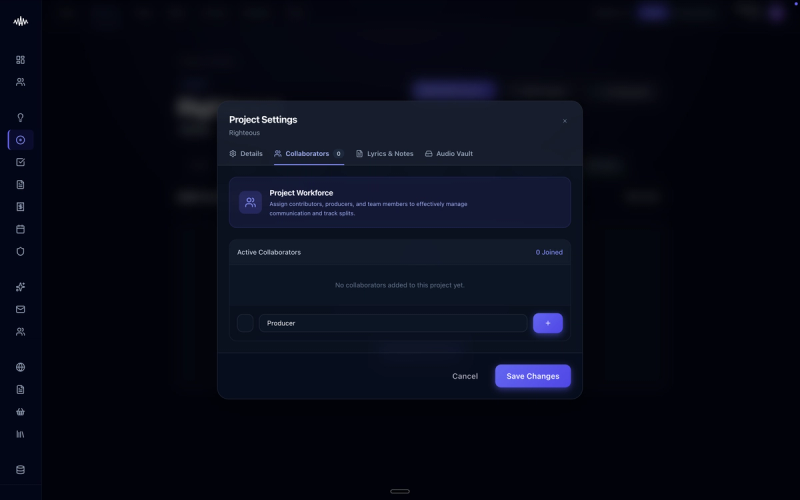
Bands rarely fall apart because of a sudden loss of passion or talent. Instead, they collapse under the weight of administrative friction, where unclear responsibilities lead to missed deadlines and eventual resentment. Using the project management features in Music Artist Manager (MAM) keeps your entire team aligned, even when everyone is balancing busy day jobs.
Why this matters
Without a centralised system to track responsibilities, tasks inevitably slip through the cracks, leading to missed gig bookings, delayed releases, and finger-pointing. When responsibilities are left ambiguous, the burden of organising often falls on a single member, creating an imbalance that breeds resentment and ultimately derails the project.
How to do it
1. Navigate to the 'Projects' dashboard on the left-hand navigation menu of MAM.
2. Click 'Create New Project' and enter your project details, such as 'EP Release' or 'Autumn Tour'.
3. Select 'Assign Team' to invite your band members and collaborators to the project space.
4. Under the 'Tasks' tab, click 'Add Task' to break the project down into individual, actionable items.
5. Double-click each task to open the detail panel, where you can assign a specific owner from the dropdown menu and set a clear deadline.
6. Use the 'Status' column to update tasks from 'To Do' to 'In Progress' or 'Completed' as work is finished.
7. Set up automated weekly digest emails under 'Notification Settings' to ensure everyone receives a summary of upcoming deadlines.
Tips
• Avoid assigning multiple owners to a single task; if more than one person is responsible, assign sub-tasks instead to maintain clear accountability.
• Keep task titles actionable and precise, such as 'Book mastering engineer' rather than just 'Mastering', to eliminate ambiguity.
Next steps
Once you have mapped out your immediate project, head over to the 'Shared Calendar' tab to synchronise your task deadlines with your band's rehearsal schedule and live dates.
Ready to streamline your workflow?
Stop piecing together spreadsheets and scattered notes. Join the waitlist for Music Artist Manager and get your entire rollout in one place.
Written By
Gavin Alexander
Senior Marketeer
As the founder of Music Artist Manager, Gavin has spent years at the intersection of music and technology. Seeing firsthand how chaotic release rollouts and split sheets can be, he designed a platform that brings major-label infrastructure to independent artists and their teams. He writes extensively about industry trends, artist leverage, and workflow optimisation.